

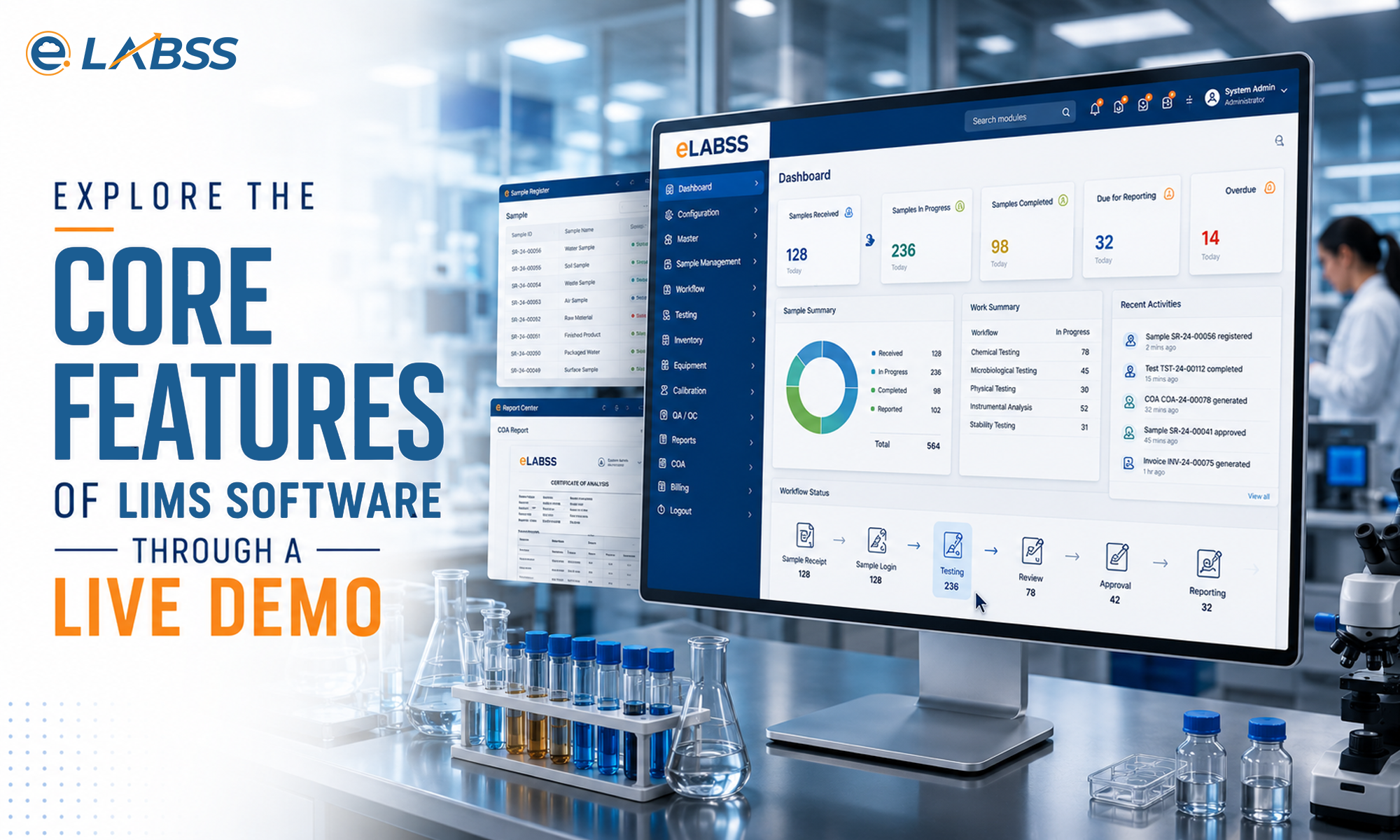
Laboratories today are under increasing pressure to deliver accurate results, maintain regulatory compliance, and process growing sample volumes without compromising efficiency. Whether it’s a pharmaceutical laboratory, food testing facility, environmental lab, research center, or diagnostic laboratory, managing complex workflows manually can lead to delays, errors, and compliance risks.
This is why more laboratories are investing in Laboratory Information Management Systems (LIMS). Before making that investment, however, most organizations request a LIMS software demo to evaluate the platform’s capabilities and determine whether it aligns with their operational needs.
A well-structured LIMS software demo goes beyond showcasing features; it demonstrates how the software can simplify laboratory processes, improve productivity, and support regulatory requirements. In this blog, we’ll explore what you should expect from a LIMS demonstration, with a focus on sample tracking, reporting, and compliance.
Why Request a LIMS Software Demo?
Choosing a LIMS is a long-term decision that impacts every aspect of laboratory operations. A LIMS software demo allows laboratory managers, quality teams, and decision-makers to see the system in action before implementation.
Rather than relying on brochures or feature lists, a live demonstration provides practical insights into how the software handles day-to-day laboratory activities.
A comprehensive demo helps you understand:
- User interface and ease of use
- Sample lifecycle management
- Workflow automation
- Report generation
- Regulatory compliance features
- Instrument integration
- Data security
- Customization capabilities
This allows laboratories to make an informed decision based on their unique requirements.
Understanding Sample Tracking During a LIMS Software Demo
Sample management is the foundation of every laboratory. Misplaced samples, incorrect labeling, or incomplete records can significantly impact testing accuracy and turnaround time.
During a LIMS software demo, one of the first workflows demonstrated is usually sample tracking.
A modern LIMS should show how it manages the complete sample lifecycle, including:
- Sample registration
- Barcode generation
- Sample receipt
- Test assignment
- Sample movement between departments
- Result entry
- Storage tracking
- Sample disposal
Real-time tracking allows laboratory staff to instantly identify where every sample is located and what stage of testing it has reached.
This level of visibility reduces manual errors while improving operational efficiency.
Workflow Automation Made Simple
Laboratories often rely on repetitive manual tasks that consume valuable staff time. These include assigning tests, updating spreadsheets, generating reports, and managing approvals.
A quality LIMS software demo demonstrates how automation replaces these manual processes.
Typical automated workflows include:
- Sample assignment
- Test scheduling
- Result verification
- Review and approval workflows
- Automatic notifications
- Status updates
- Client communication
Automation helps laboratories eliminate bottlenecks while maintaining consistent processes across departments.
Reporting Features to Look For
Laboratory reports are the final deliverable provided to clients. Reports must be accurate, standardized, and delivered on time.
During a LIMS software demo, reporting capabilities should receive significant attention.
An effective LIMS should demonstrate:
- Automated report generation
- Custom report templates
- Electronic approvals
- Digital signatures
- Secure report distribution
- Multi-format export options
- Client-specific reporting
Automated reporting not only saves time but also minimizes formatting errors and ensures consistency across all reports.
Compliance Features Every Laboratory Should Evaluate
Regulatory compliance remains one of the biggest reasons laboratories adopt LIMS.
Whether complying with ISO 17025, ISO 15189, GLP, GMP, NABL, or FDA requirements, laboratories must maintain complete traceability and secure documentation.
A comprehensive LIMS software demo should showcase compliance-related features such as:
Complete Audit Trails
Every modification should be recorded automatically, showing who made the change, when it occurred, and what was updated.
Electronic Signatures
Electronic approvals simplify review processes while supporting regulatory requirements.
Role-Based User Access
Different users should have access only to the information relevant to their responsibilities.
Document Management
The software should securely manage SOPs, quality manuals, work instructions, and supporting documents.
Data Integrity
Modern LIMS solutions protect laboratory data from unauthorized modifications while maintaining complete traceability.
Together, these features help laboratories prepare confidently for audits and inspections.
Instrument Integration Capabilities
Today’s laboratories use a wide range of analytical instruments that generate large volumes of data.
Without integration, laboratory staff must manually transfer instrument results into reports or spreadsheets.
During a LIMS software demo, ask how the system connects with laboratory instruments.
Direct instrument integration enables:
- Automatic result capture
- Reduced transcription errors
- Faster data processing
- Improved data integrity
- Increased laboratory efficiency
This feature is particularly valuable for laboratories handling high sample volumes.
Inventory and Resource Management
Many laboratories overlook inventory management during software evaluations, even though reagent shortages and expired chemicals can disrupt testing schedules.
An effective LIMS software demo should also demonstrate inventory capabilities, including:
- Reagent tracking
- Chemical inventory
- Expiry monitoring
- Equipment calibration schedules
- Maintenance records
- Stock alerts
- Purchase requests
Integrated inventory management helps laboratories maintain uninterrupted operations.
Questions to Ask During a LIMS Software Demo
To ensure you’re selecting the right solution, consider asking the following questions during your demonstration:
- Can workflows be customized?
- Does the software support our regulatory requirements?
- Can it integrate with existing laboratory instruments?
- How secure is the data?
- Is cloud deployment available?
- How long does implementation take?
- What training is provided?
- Can reports be customized?
- How scalable is the platform?
- What ongoing support is included?
These questions help determine whether the solution meets both your current and future laboratory needs.
Benefits of Choosing the Right LIMS
After attending a successful LIMS software demo, laboratories often discover opportunities to improve operations in ways they hadn’t considered.
The right LIMS can help organizations:
- Increase laboratory efficiency
- Improve sample traceability
- Reduce manual errors
- Accelerate report generation
- Strengthen compliance
- Improve collaboration
- Enhance customer satisfaction
- Support laboratory growth
Instead of simply replacing paperwork, a modern LIMS becomes the digital backbone of laboratory operations.
Conclusion
A LIMS software demo is the best way to understand how laboratory automation can improve sample tracking, reporting, and regulatory compliance. By seeing real workflows in action, laboratories can evaluate usability, customization, integration capabilities, and compliance features before making an investment. The right demonstration should clearly show how the software simplifies daily operations while supporting long-term growth and quality objectives.
eLABSS LIMS offers a comprehensive demonstration tailored to your laboratory’s unique workflows and operational requirements. From intelligent sample tracking and automated reporting to robust compliance management, instrument integration, and configurable workflows, eLABSS LIMS is designed to help laboratories improve efficiency, reduce manual effort, and maintain complete data integrity. Whether you’re a pharmaceutical, diagnostic, research, food, or environmental laboratory, an eLABSS LIMS demo provides valuable insight into how a modern laboratory management solution can transform your operations and prepare your laboratory for future success.
Frequently Asked Questions
1. What is a LIMS software demo?
A LIMS software demo showcases how a Laboratory Information Management System manages sample tracking, reporting, workflow automation, and regulatory compliance.
2. Why should laboratories request a LIMS software demo?
A LIMS software demo helps laboratories evaluate features, usability, customization, integrations, and compliance capabilities before investing in the software.
3. What features are covered in a LIMS software demo?
A LIMS software demo typically includes sample tracking, automated reporting, workflow management, instrument integration, inventory management, and compliance tools.
4. How does a LIMS software demo explain sample tracking?
The demo shows how samples are registered, tracked, tested, stored, and reported with complete traceability throughout the laboratory workflow.
5. Can a LIMS software demo demonstrate compliance features?
Yes. A LIMS software demo highlights audit trails, electronic signatures, user access controls, and documentation features that support regulatory compliance.
6. Does a LIMS software demo include reporting capabilities?
Yes. It demonstrates automated report generation, customizable templates, digital approvals, and secure report sharing to improve laboratory efficiency.
7. Who should attend a LIMS software demo?
Laboratory managers, quality assurance teams, IT professionals, and decision-makers should attend to evaluate whether the LIMS meets operational requirements.
8. Why choose an eLABSS LIMS software demo?
An eLABSS LIMS software demo provides hands-on insights into sample tracking, reporting, compliance, automation, and customizable workflows for modern laboratories.
Comments are closed